 Lightbench
A multi-platform configuration tool for Helvar lighting systems
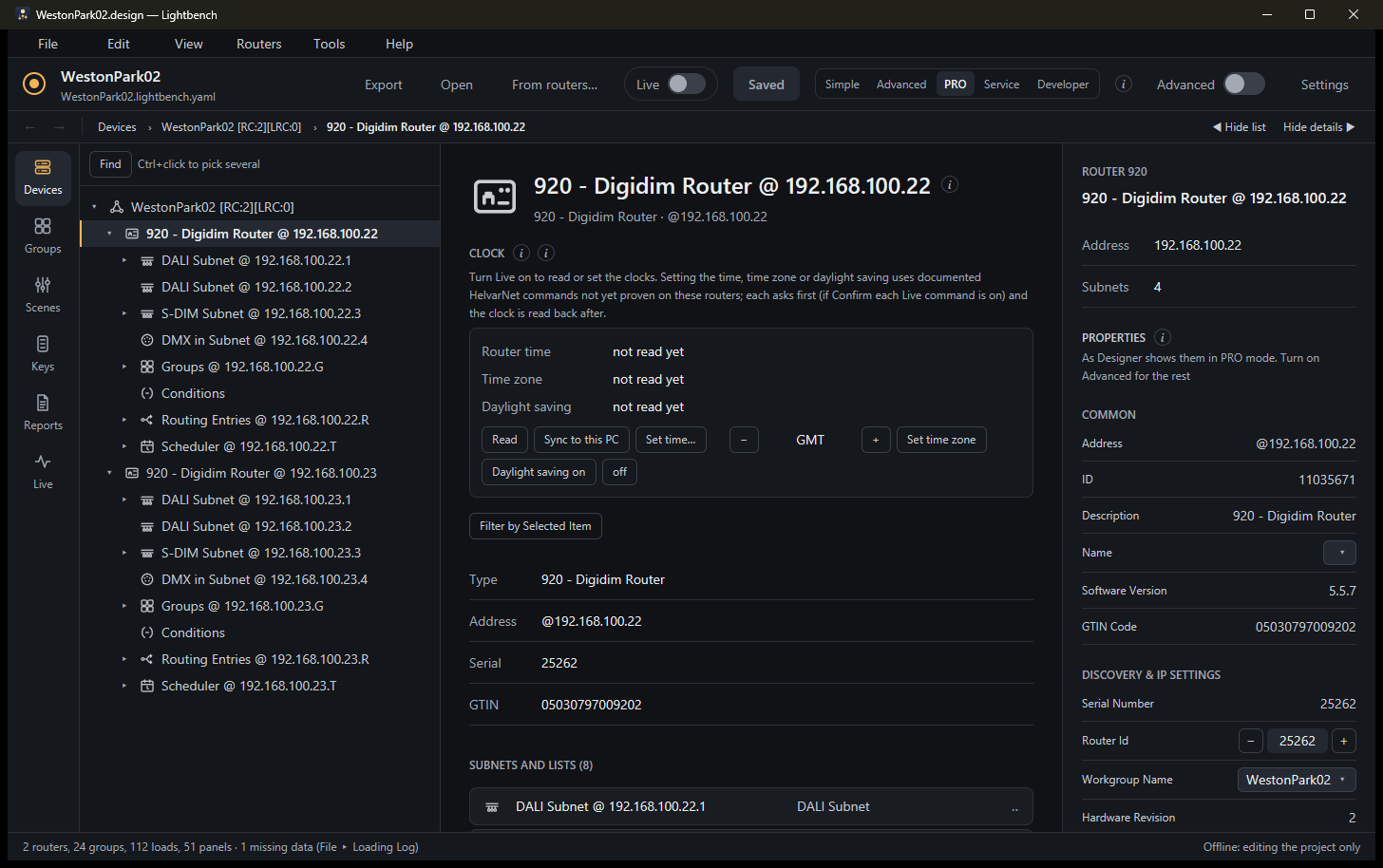
Lightbench edits, checks and controls Helvar lighting systems: 905, 910 and 920 routers with their DALI, S-DIM and DMX subnets. It reads and writes the same project files as Helvar Designer, keeps Designer's names, addresses and property grids, and talks to the routers over the network. It is an independent tool and not a Helvar product.
Features
- Devices: the workgroup tree of routers, subnets, devices and keys, with each router's groups, conditions, routing entries and scheduler, and Find.
- Properties: device and router properties as Designer shows them in each user mode, from Simple to Developer.
- Groups and scenes: groups with their loads and controlling keys, and the scene table of each group.
- Keys: control panels and the functions of their keys.
- Reports: devices, grouping and system diagnostics reports.
- Routers: open a project straight from the routers, compare it with the routers' own configuration, and send changes back.
- Live: scene recall, levels, router clocks, status and notifications, on a built-in simulator or on the real routers.
Edits stay in Lightbench's own project file until they are exported as a Designer project or sent to the routers. Anything that sends to the routers or writes a file always needs a click to confirm. Every command has a keyboard shortcut.
Platforms
Windows and macOS. The iPad version has the Devices, Scenes and Keys pages.